Risk Assessment Software Built Around the Job Hazard Analysis
Break every job into hazards, scored on your own risk matrix
Quantum’s risk assessment software digitizes the Job Hazard Analysis process your team already knows: break a job, machine, or location into its hazard sources, score each one on a configurable risk matrix, and force corrective action on anything that scores too high.
SOC 2 Type II certified. Part of the Quantum Nexus EHS platform.
Why safety teams trust Quantum
Years of EHS expertise
0
+
SOC 2 Type II certified. Offices across North America, Europe, and Asia, serving Fortune 500 manufacturers and government agencies. Assessment notifications in English, Spanish, Traditional and Simplified Chinese.
From hazard to closed corrective action in four steps
STEP 1
Build your risk matrix
Define likelihood and severity ranks, plus frequency and exposure if you need them, and set handling rules for each risk band.
STEP 2
Map your risk points
Register each job, machine, or location and break it into hazard sources with controls across the full hierarchy of controls.
STEP 3
Schedule assessments
Assign one-time or recurring assessments to individuals or whole departments; tasks land in each assignee’s task center.
STEP 4
Control high risks
High scores require a corrective action before the task can close, with before-and-after risk levels on record.
What you can do with Q-Risk
Configure risk matrices per operation
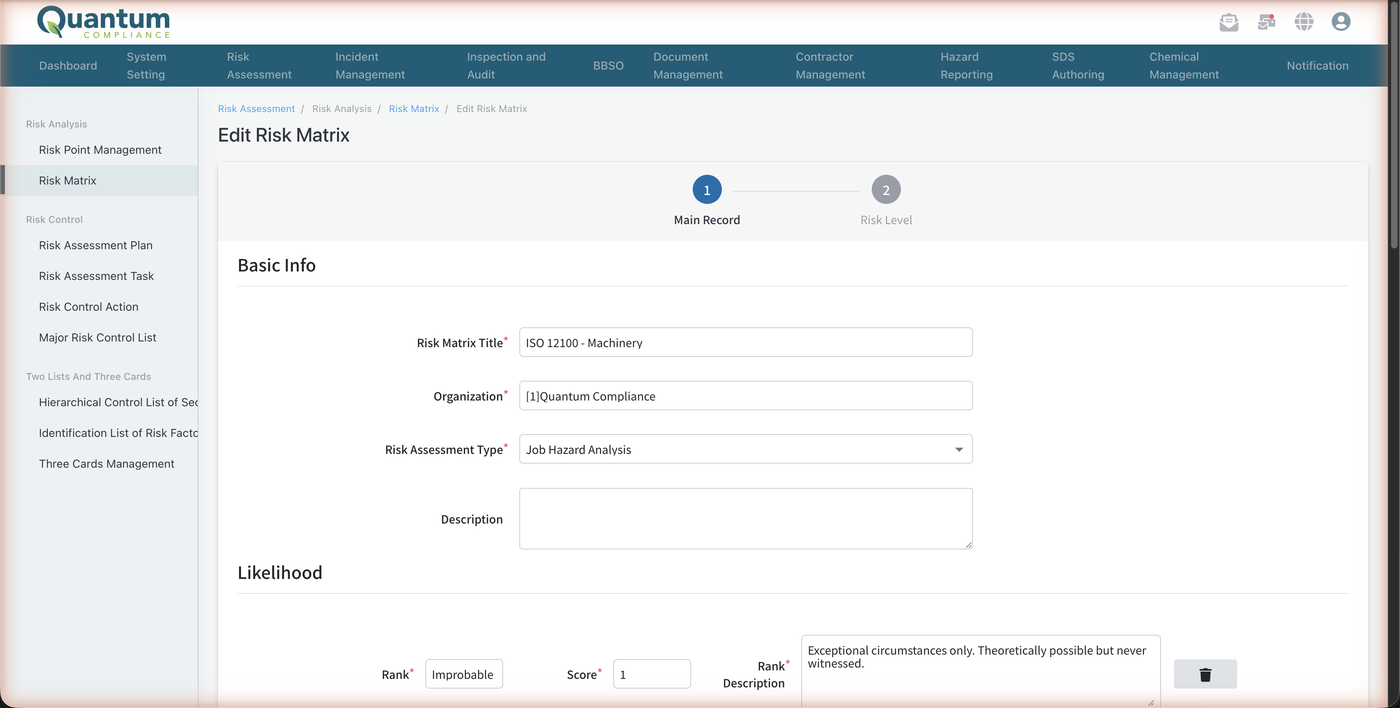
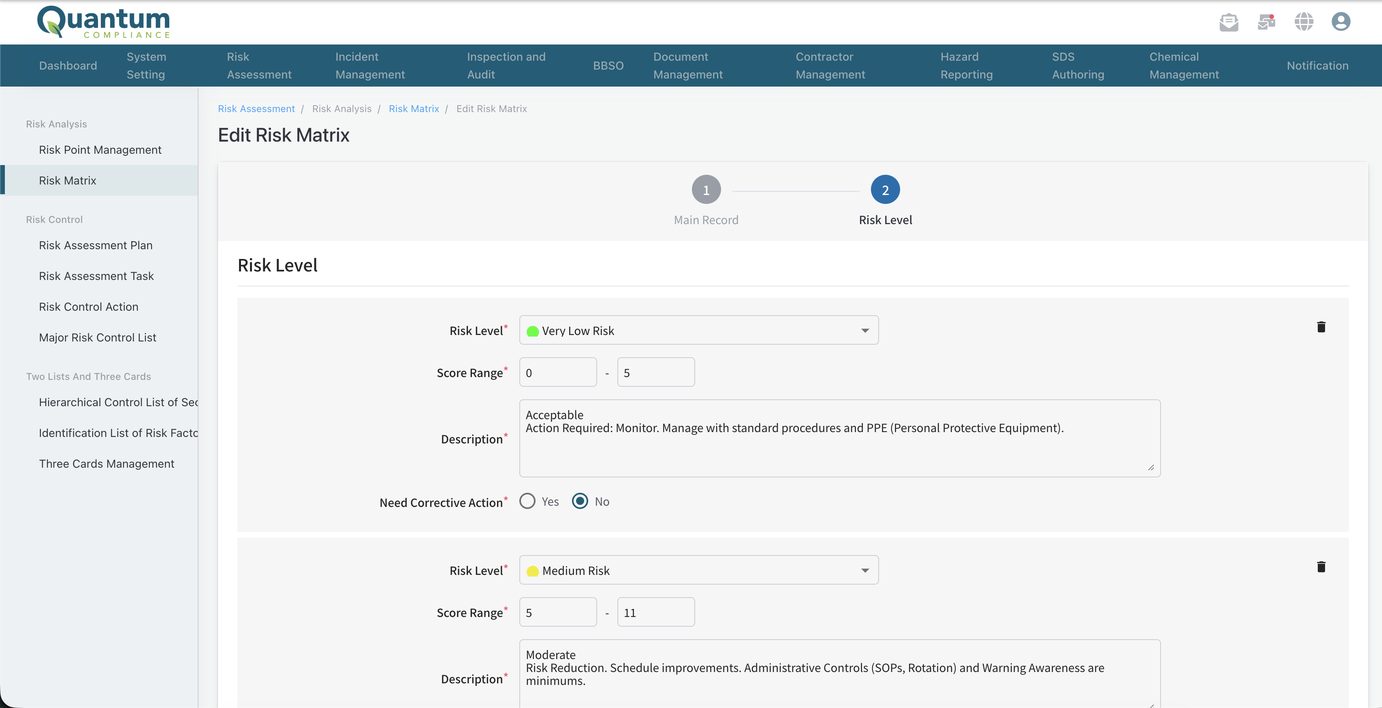
Run separate matrices for office work, machinery, or chemicals. Every likelihood and severity rank has its own score and plain-language description, so assessors score consistently, and each risk band carries its own handling rule, up to stop-work.
Break jobs into hazard sources
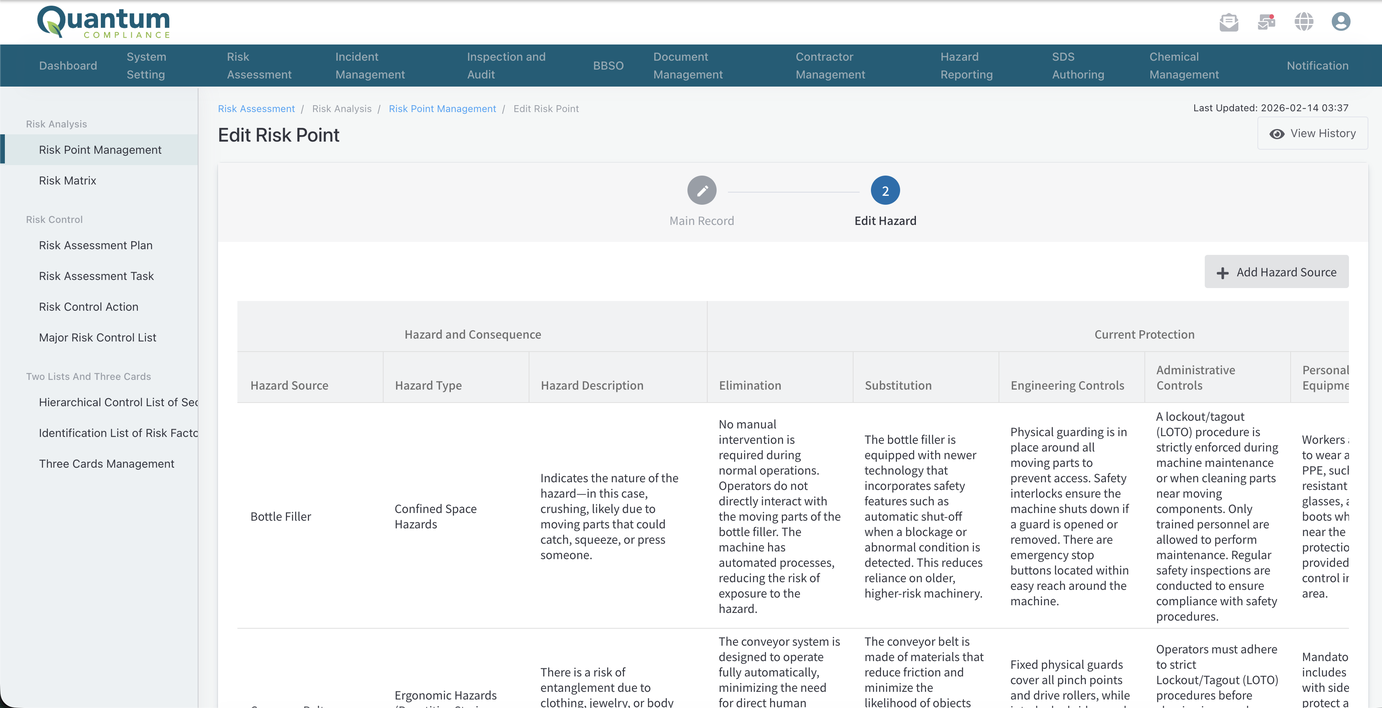
A risk point holds every hazard on that job, machine, or location, each with its hazard type, control measures across the full hierarchy of controls, and an auto-calculated risk rank. It mirrors the OSHA JHA template your team already knows.
Schedule recurring reassessments
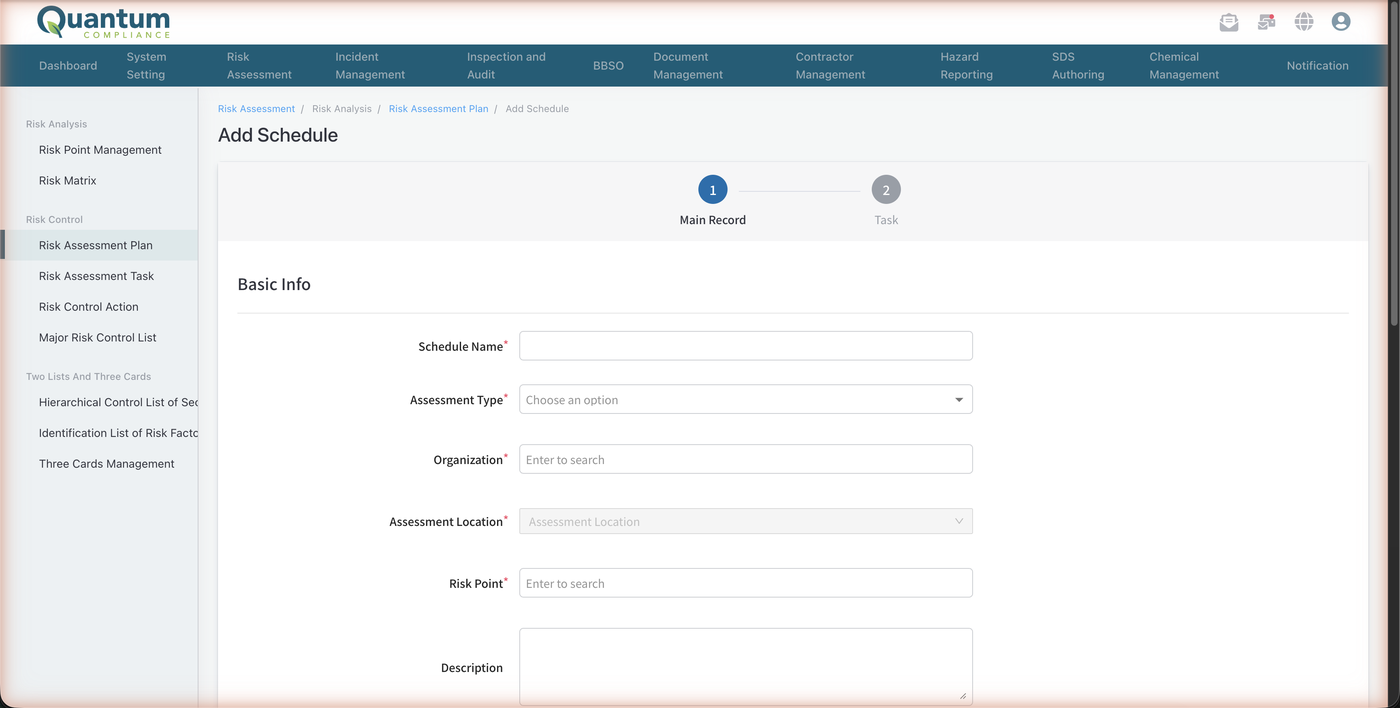
Weekly, monthly, or quarterly cadences keep scores current. Assign a plan to one person or an entire department, and every issued task lands in the assignee’s Personal Task Center.
Force corrective action on high risk
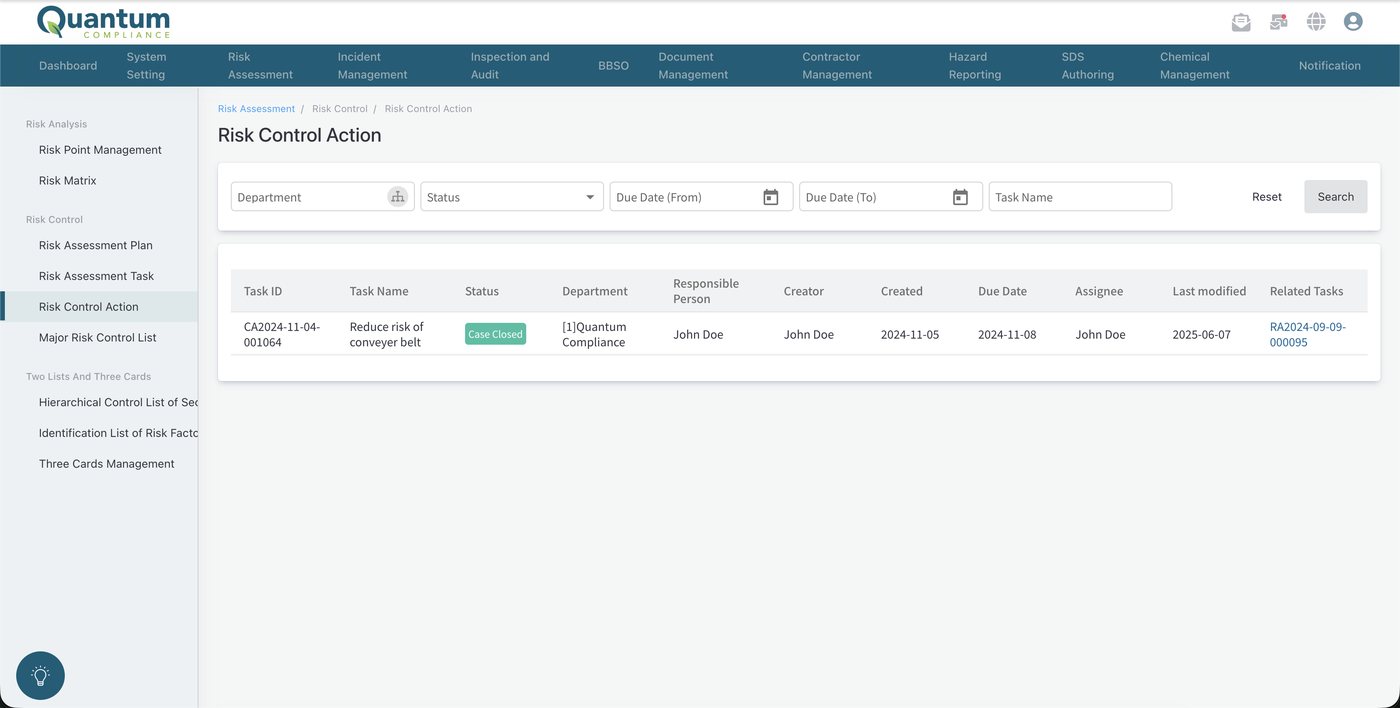
When a hazard lands in a high-risk band, the assessment cannot close until a corrective action exists. After the action completes, reassessment records the actual new risk level with a before-and-after comparison.
Watch every major risk in one list
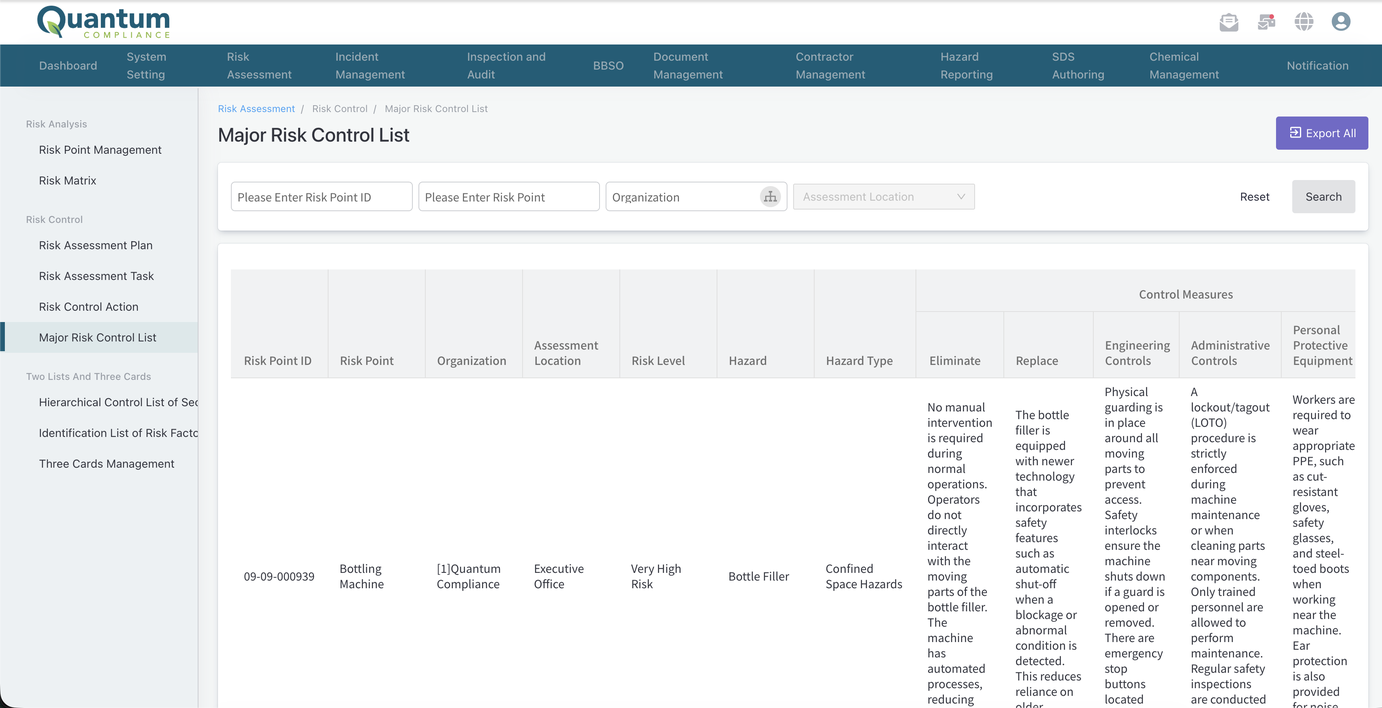
The Major Risk Control List shows every hazard currently at high risk across all your risk points, exportable in one click.
Audit the full history
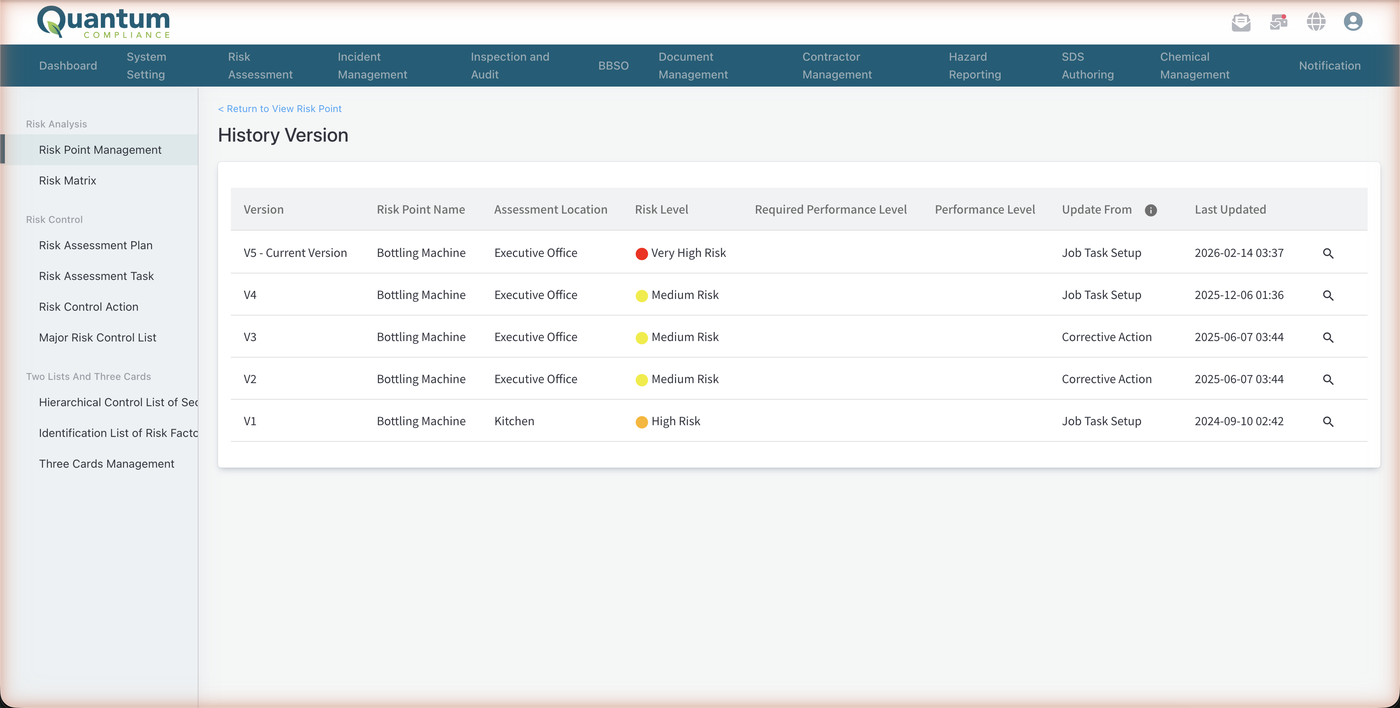
Every risk point keeps a timeline of its assessments, corrective actions, and risk level changes since creation, ready for auditors and management review.
Built for real assessment programs
Consistency, not guesswork
Named ranks with plain-language descriptions mean two assessors score the same hazard the same way, on every site.
Nothing stays high risk quietly
High scores force a corrective action before the task can close, and the Major Risk Control List keeps every open high risk in view.
Current scores, not stale ones
Recurring assessment plans re-score your risk points on the cadence you set, so ratings reflect today’s operation.
An audit trail by default
Every risk point carries its full history of assessments, actions, and risk level changes since creation.
Multiple methodologies
Job Hazard Analysis, risk assessment questionnaires, and event tree analysis in one module.
Four matrix dimensions
Score on likelihood and severity, and add frequency and exposure when your operation needs them.
Handling rules per risk band
Each band carries its own rule, from no action needed to stop-work with mandatory corrective action.
Hierarchy of controls
Record control measures across all five levels, from elimination to PPE, on every hazard source.
Sign-off routing
Assessments route to reviewers; rejections return to the assignee, approvals close the record.
Notifications in four languages
Task and sign-off emails in English, Spanish, Traditional and Simplified Chinese.
Group or individual assignment
Issue an assessment to one person or to everyone in a department in a single plan.
Corrective action verification
Completed actions pass a verification step before sign-off, with the new risk level on record.
One-click export
Export the Major Risk Control List and every Risk Dashboard chart.
Risk dashboard
Charts of risk levels and assessment activity across the organization, ready for management review.
Customer story

EVA Air strengthened its occupational safety management with the Quantum Nexus EHS platform, running risk assessment alongside inspection and hazard workflows across a large, distributed workforce.
Works with the rest of your safety program
Q-Risk is one module in the Quantum Nexus EHS platform. It works alongside:
Scheduled safety inspections and audits across your sites, with findings tracked to closure.

When prevention isn’t enough: document incidents, run investigations, and keep OSHA records.
Frontline hazard reports from any device, so unsafe conditions surface between scheduled assessments.
Risk assessment software FAQs
What does risk assessment software do?
It digitizes hazard identification and scoring: you break a job, machine, or location into hazard sources, score each on a risk matrix, and track control measures and corrective actions until residual risk is acceptable.
Does Q-Risk support Job Hazard Analysis (JHA)?
Yes. The module is built around the JHA process and deliberately mirrors OSHA’s published JHA template, so assessments look like the worksheets your team already uses.
Can I customize the risk matrix?
Yes. You can run multiple matrices, name and describe every likelihood and severity rank, add frequency and exposure dimensions, and define handling rules per risk band, including stop-work for the highest band.
Can risk assessments recur automatically?
Yes. Assessment plans support one-time or recurring cadences and can assign tasks to individuals or entire departments.
What happens when a hazard scores as high risk?
The assessment task cannot complete until a corrective action is created. After the action closes, reassessment records the new risk level, and the record shows the before-and-after comparison.
Which assessment methodologies are supported?
Job Hazard Analysis (the most common), risk assessment questionnaires, and event tree analysis.