
Q-Inspection uses AI to surface regulations and suggest corrective actions
Spotting non-compliant issues is straightforward.
The challenge is turning it into a compliant fix.
- What regulation does it violate?
- Why is it wrong?
- What is the compliant fix?
When those answers are not clear, teams lose time, second guess decisions, and documentation becomes inconsistent. Q-Inspection reduces friction with two AI tools that bring guidance directly into the workflow.
Two AI tools inside Q Inspection
- AI Smart Reference to suggest relevant regulations tied to a non-compliant finding
- Corrective Action Assistant to suggest corrective actions so you can review and assign them
These tools are designed to help teams understand why something is non-compliant and what a compliant path forward looks like.
AI Smart Reference suggests the right standards to cite
Smart Reference helps when a finding is marked non-compliant, and you need to cite the right standard.
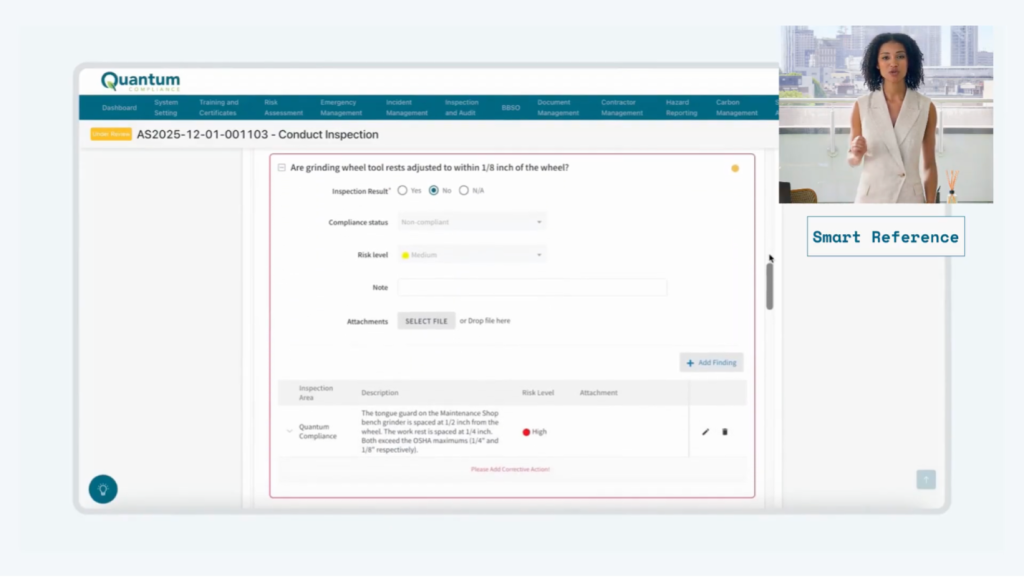
In our demo, we review a machinery inspection with 15 of 16 items marked compliant. One issue shows up on a bench grinder in the maintenance shop. The tongue guard sits about 1/2 inch from the wheel, and the work rest sits about 1/4 inch. Both exceed common maximum limits.
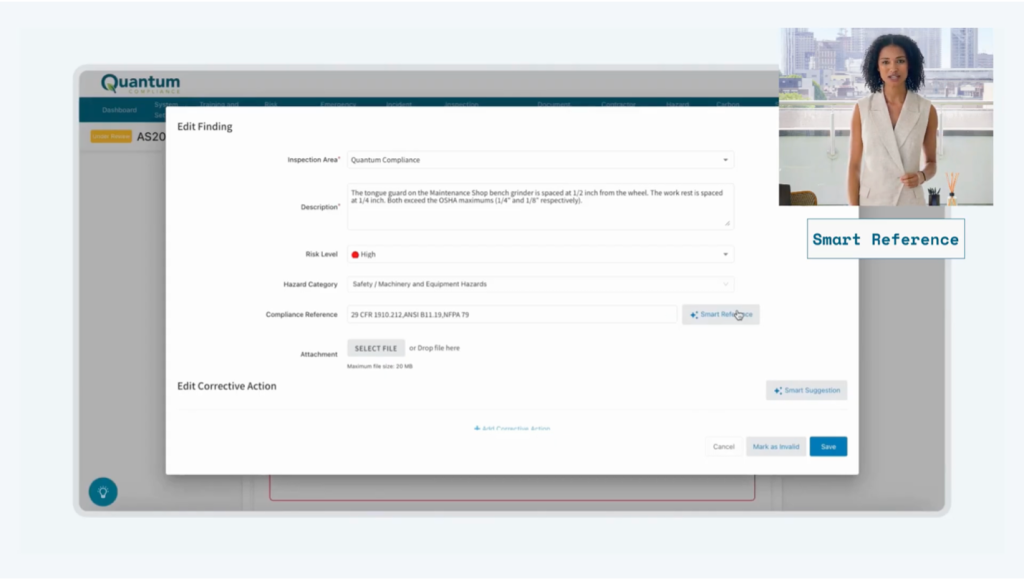
Click into the finding and Quantum suggests relevant regulatory references so you can document the issue with confidence. In the walkthrough, it returns multiple references related to machine guarding and machinery standards.
References are generated using the inspection details and location context, drawing from official sources like OSHA, NFPA, ANSI, and state plans. The AI suggests, and you review and approve what gets used.
Corrective Action Assistant suggests what to do next
Once you have the right standards, the next step is turning the finding into a compliant fix.
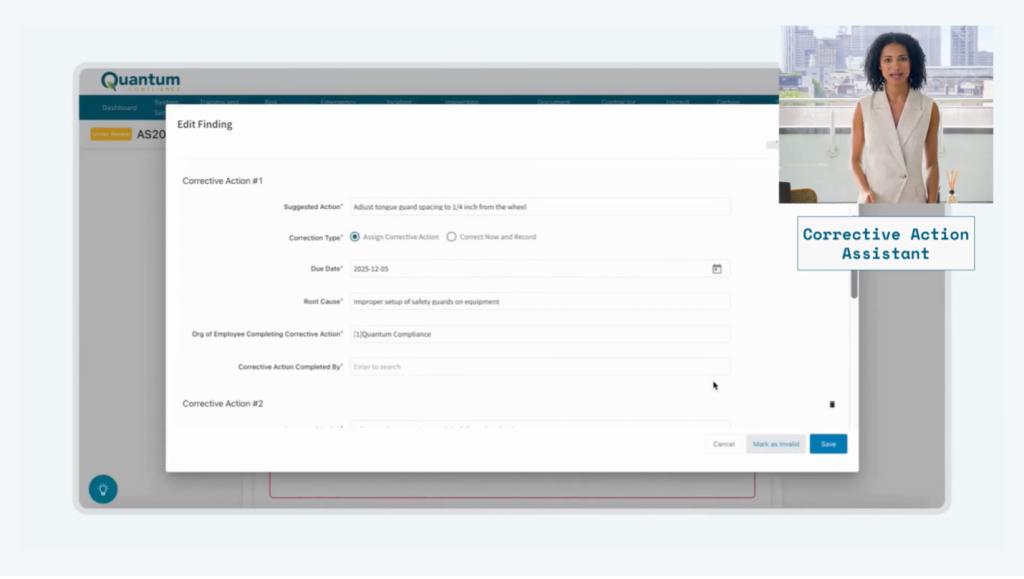
Instead of starting from a blank page, Quantum suggests corrective actions based on the non-compliant finding description. In the demo, it generates one to three actions and fills the required fields, so the EHS lead can review and assign them in minutes.
The AI suggests, and you approve it. It is not replacing judgments. It is removing guesswork and making the path to compliance clearer.
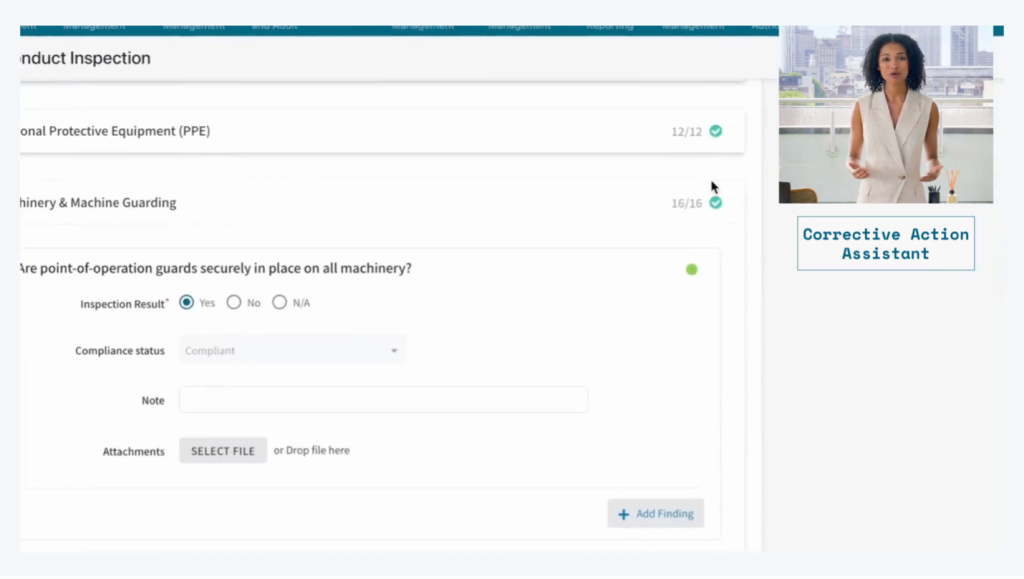
After you assign the actions, they route to each employee’s Personal Task Center, so ownership is clear and follow up stays organized.
Why this matters for EHS leaders
These tools do more than save time. They improve the quality of the work.
They help teams:
- Understand why a finding is non-compliant, not just that it is
- Document the legal and regulatory basis behind decisions
- Build more consistent inspection records across sites and inspectors
When teams understand “the why “and “the how,” compliance becomes easier to run, easier to prove, and easier to sustain.
Watch the demo
See Smart Reference and the Corrective Action Assistant in action and how Q Inspection helps move a finding from non-compliant to documented and ready to assign in a few clicks.
Watch the full demo on YouTube